Instant Bet Buttons HUD
Customizable floating bet sizing overlays directly on tables with instant 1-click activation toggles per room (e.g. Winamax, PokerStars, PMU). Sub-millisecond reaction time.
v0.20.0 • Multi-RoomsStart your 30-day free trial
Public Beta — 30-Day Free Trial — --- d : -- h : -- m : -- s remaining
Start your 30-day free trial
More than a table manager. Seatify Pro organizes your whole workspace — tables, lobbies, Discord, browsers, and trackers — so every window lands where it belongs. Auto-tiling, custom layouts, strict hover-only hotkeys, Focus Aura, and 0ms bet sizing overlays in one ultra-lightweight native app.
PUBLIC BETA Active development · 30-day free trial · Updates ship weekly
Experience how Seatify transforms every phase of your poker session — from multi-monitor table organization to sub-millisecond bet sizing and instant video review.
As soon as you register or open a table across any supported room, Seatify positions it cleanly into your defined layout slots. Windows move atomically with zero window lag or visual stutter.
Define table, lobby, replayer, and waiting areas across one, two, or three monitors with millimeter precision.
Prevent poker table distortion and stretched fonts when resizing arbitrary room clients.
Automatically adjust your grid geometry as tables open or bust out throughout your tournament session.
Pin non-poker companion windows right alongside your active grind without getting covered.
Customizable floating betting overlays anchored directly on live tables. Configure percentage pot (% pot), Big Blinds (BB), or min-bets with instant 1-click room switches (e.g. active on Winamax, disabled on PMU).
Poker gameplay actions trigger exclusively under the active table cursor. Windows shortcuts (Alt+Tab, Ctrl+C) are completely untouched.
Real-time keybinding collision detection displays warning badges if conflicting room shortcuts are detected.
Floating live timer, table count, and volume monitor with custom dark, glass, and cyberpunk themes.
Native 1-100 random number generator with click or periodic auto-refresh modes to support disciplined decision-making.
Focus Aura highlights the table under your mouse cursor with a vibrant customizable glowing border. On restricted networks like GGPoker, Seatify locks into Safe Mode (pure window tiling, zero HUD, zero automation) to guarantee platform integrity.
Scroll mouse wheel to rewind 15s to 2min of table action and export high-compatibility H.264 MP4 video clips in 1 click.
Privacy mask covering hole cards with quick dual-opacity toggle to prevent stream sniping during live broadcasts.
Tailor overlay frame rates from 10 FPS battery-saver on laptops up to 60 FPS ultra-smoothness on multi-screen rigs.
Teach the app any new or modified room window in 3 clicks without waiting for software updates.
Explore all capabilities included in Seatify Pro Poker v0.20.0
Customizable floating bet sizing overlays directly on tables with instant 1-click activation toggles per room (e.g. Winamax, PokerStars, PMU). Sub-millisecond reaction time.
v0.20.0 • Multi-RoomsPoker actions only execute when your cursor hovers over a table. Windows shortcuts (Alt+Tab, Ctrl+C...) and other desktop apps are never disrupted, with real-time conflict warnings.
Anti-ConflictIndependent safety architecture: Safe Mode automatically disables all HUDs, bet overlays, and shortcuts on GGPoker. Seatify operates purely as an external window manager and makes no claim of certification or endorsement by GGNet.
Safe ModeOverlays, Hotkeys, and Settings completely redesigned into thematic category hubs with instant sub-menu access and persistent fair-play legal protection.
New HubsRewind and export 15s to 2min of table action with mouse-wheel scroll into high-efficiency H.264 MP4 clips without leaving your seat.
Instant VideoCurate your performance profile from 10 FPS battery-saving mode on laptops up to 60 FPS / 25 FPS broadcast smoothness on desktop rigs.
Customizable privacy mask covering hole cards with dual quick-toggle opacity (Low / High), designed for live streamers and coaching sessions.
Real-time floating metrics overlay showing elapsed session duration, active table counts, and hands played with customizable visual themes.
Native random number generator with click or periodic auto-refresh modes to support balanced frequency play and disciplined decision-making.
Locks strict room-specific aspect ratios (4:3, 16:9, or custom) to eliminate table distortion and text stretching during automatic tiling.
Central control deck with interactive multi-monitor minimap, pulsing Live Focus indicators, and one-click window slot pin freezing.
Floating, customizable capture button anchored to each table with hover-only visibility and instant PNG copy to clipboard or disk.
Universal Win32 engine scanning active applications and poker tables with real-time rescan, 1-click classification, and custom blacklist rules.
Universal EngineDetects supported poker table windows and keeps your workspace organized as sessions evolve.
Event-driven table placement with atomic window moves for smooth, low-flicker workspace organization.
Configurable keyboard shortcuts for faster manual navigation and workflow control during multitabling sessions.
Visual highlight for the active table so your attention stays anchored during busy sessions.
Create table, lobby, replayer and waiting slots across one or multiple monitors. Save and load layouts instantly.
Adjusts your selected workspace layout as table count changes, helping your desktop remain clean and readable.
Step-by-step setup guide to get you playing in minutes. Pick your room, configure your layout, and you're ready.
No concept art, no web mockups, and no marketing renders. Every visual below is an authentic capture of the Windows 11 desktop app. Select any module to inspect its live controls.
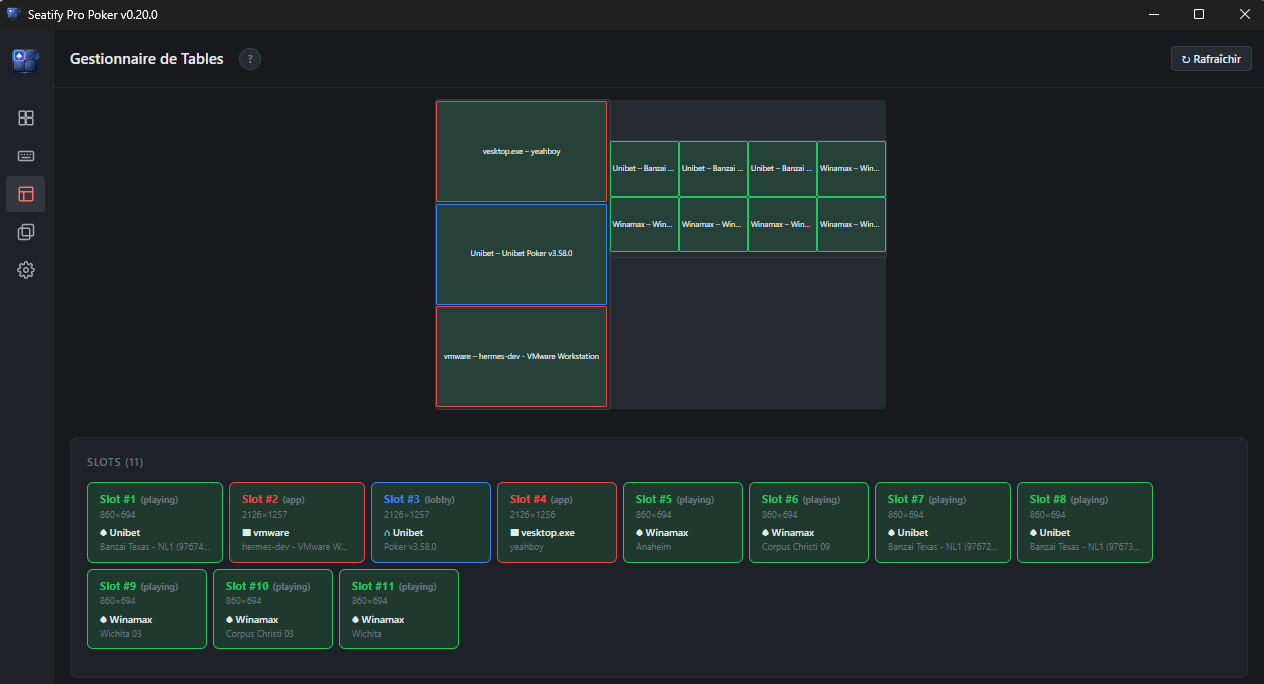
Discord and utility apps lock into designated slots alongside tables.
Native 860×694 resolution slots with zero aspect ratio distortion.
Auto-detected tables automatically tile into the assigned layout positions.
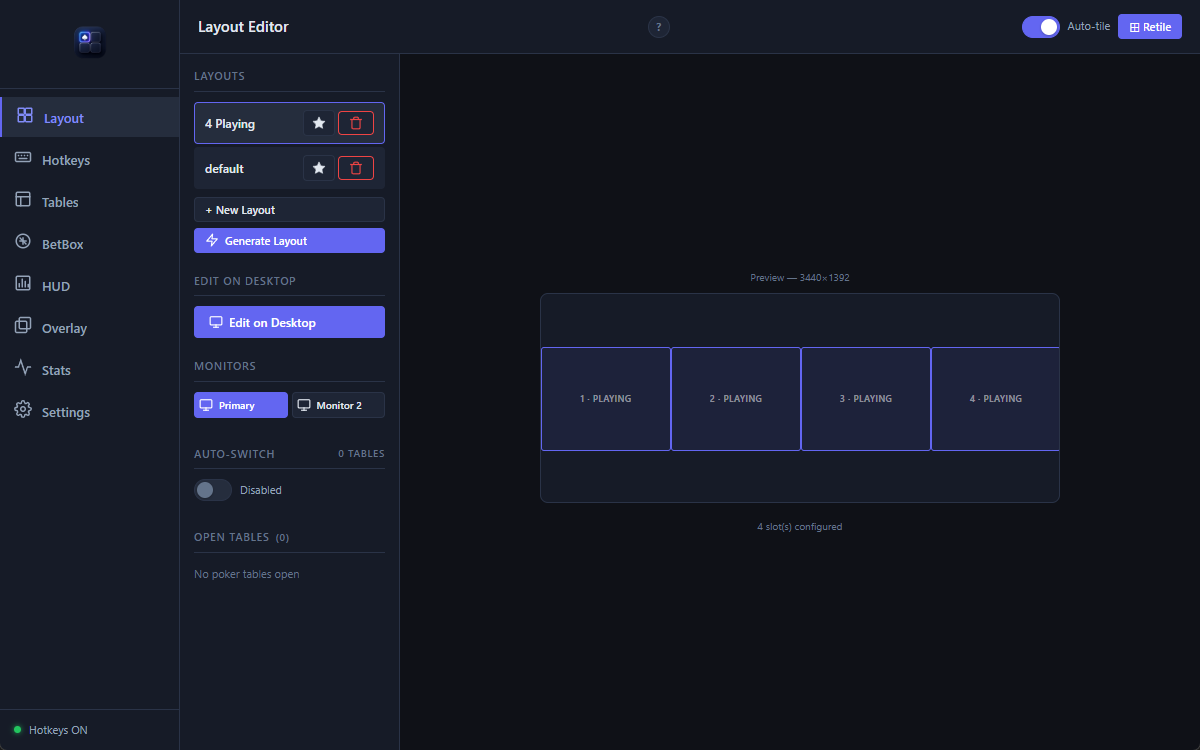
Switch between 8-table grind, cash, or custom multi-screen workflows.
Pixel-accurate preview of your multi-screen arrangement before launching.
Toggle instant window snapping as new poker tables open and close.
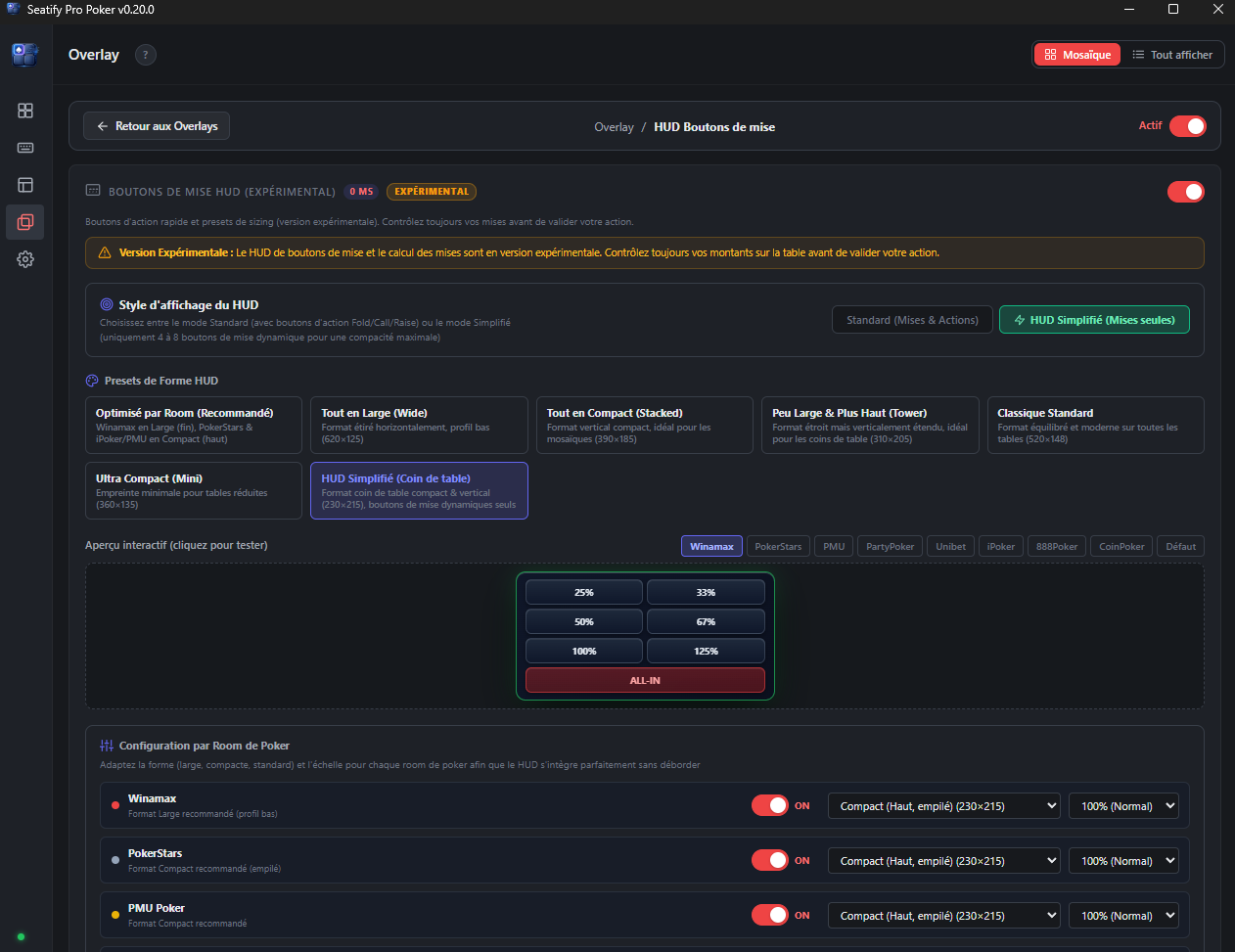
Instant 25%, 33%, 50%, 67%, 100%, and All-in presets.
Tailored dimensions and scaling for Winamax, PokerStars, and PMU.
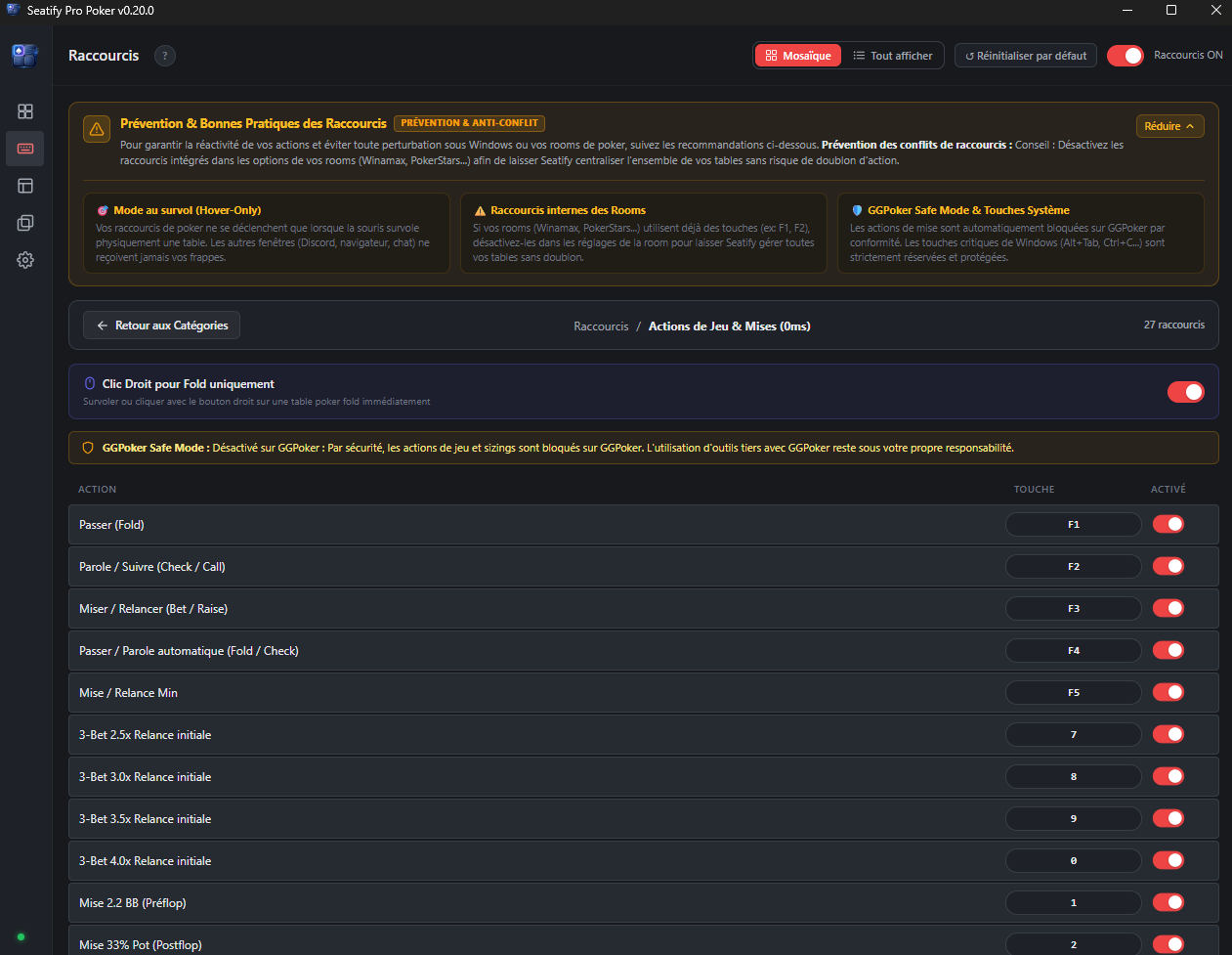
Actions only fire when your mouse hovers over an active table. Discord and chats stay safe.
Betting shortcuts are automatically disabled on GGPoker tables for complete security.
F1 (Fold), F2 (Check/Call), F3 (Bet/Raise) executed instantly at 0ms.
Dedicated keys for 2.5x, 3.0x, 3.5x and 4.0x raise multipliers.
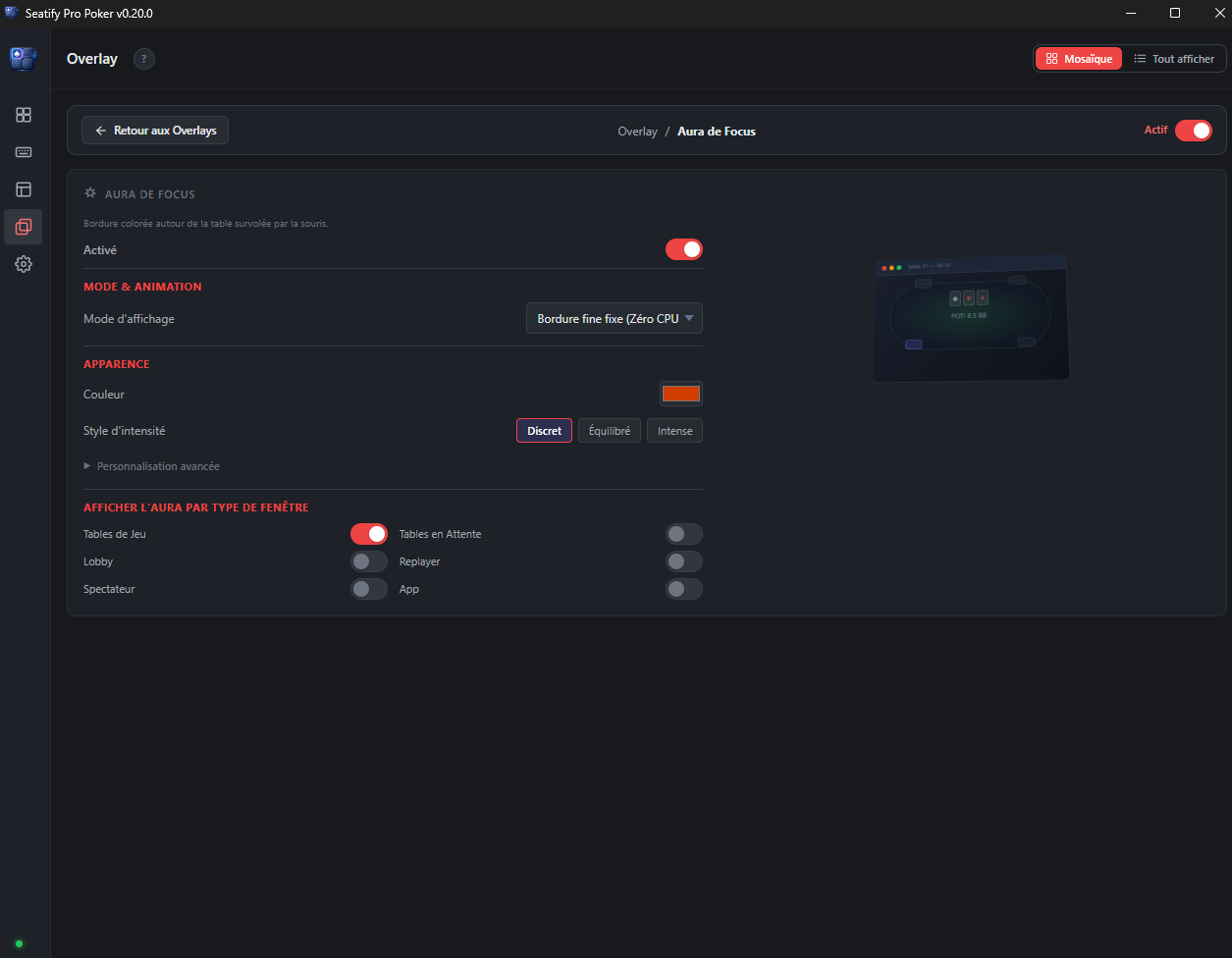
Uses lightweight hardware window outlines without game injection.
Customizable color palette, border thickness, and glow intensity.
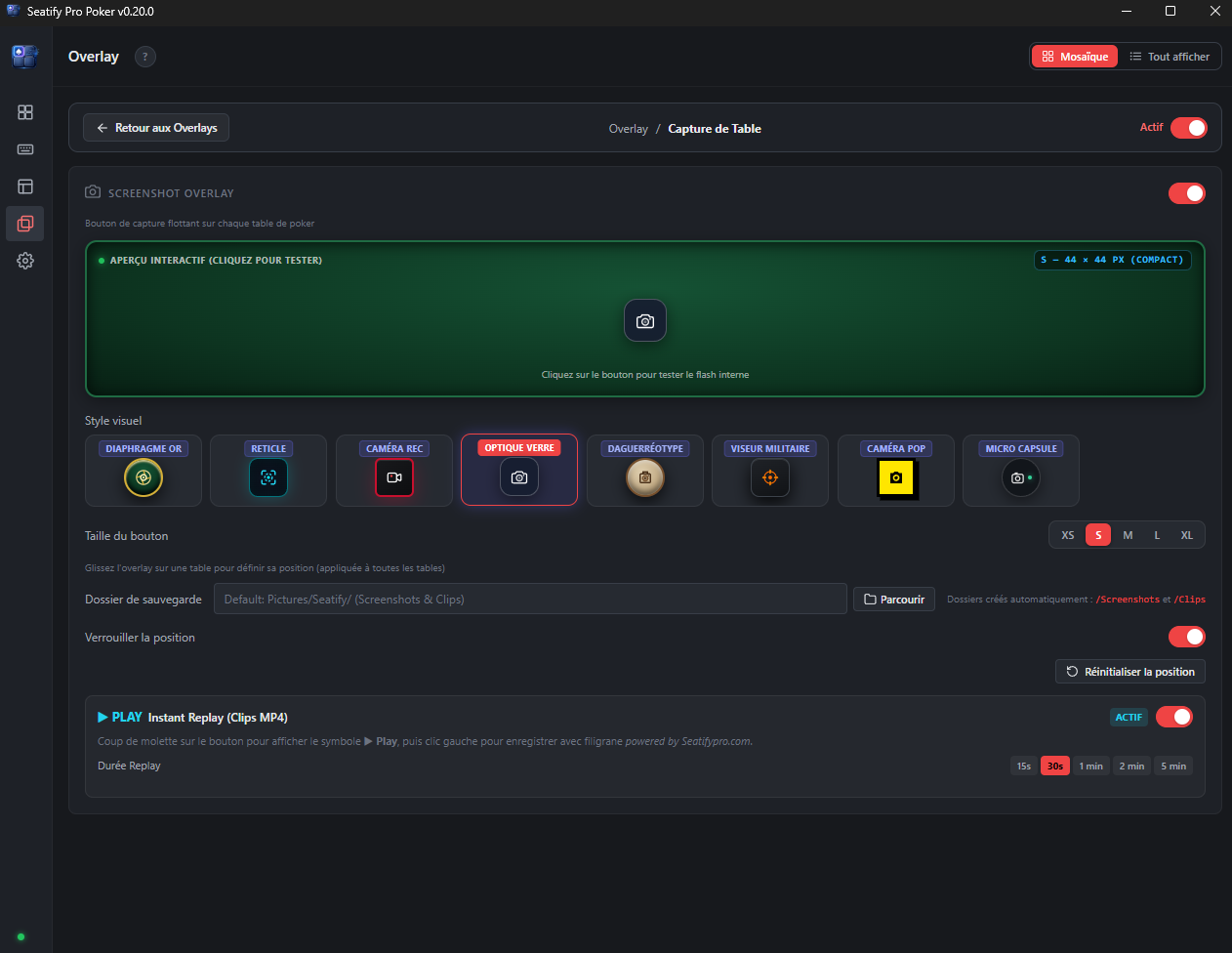
Compact floating button with 8 lens styles anchored directly to table frames.
Saves rolling 15s to 5min hand clips locally without external streaming software.
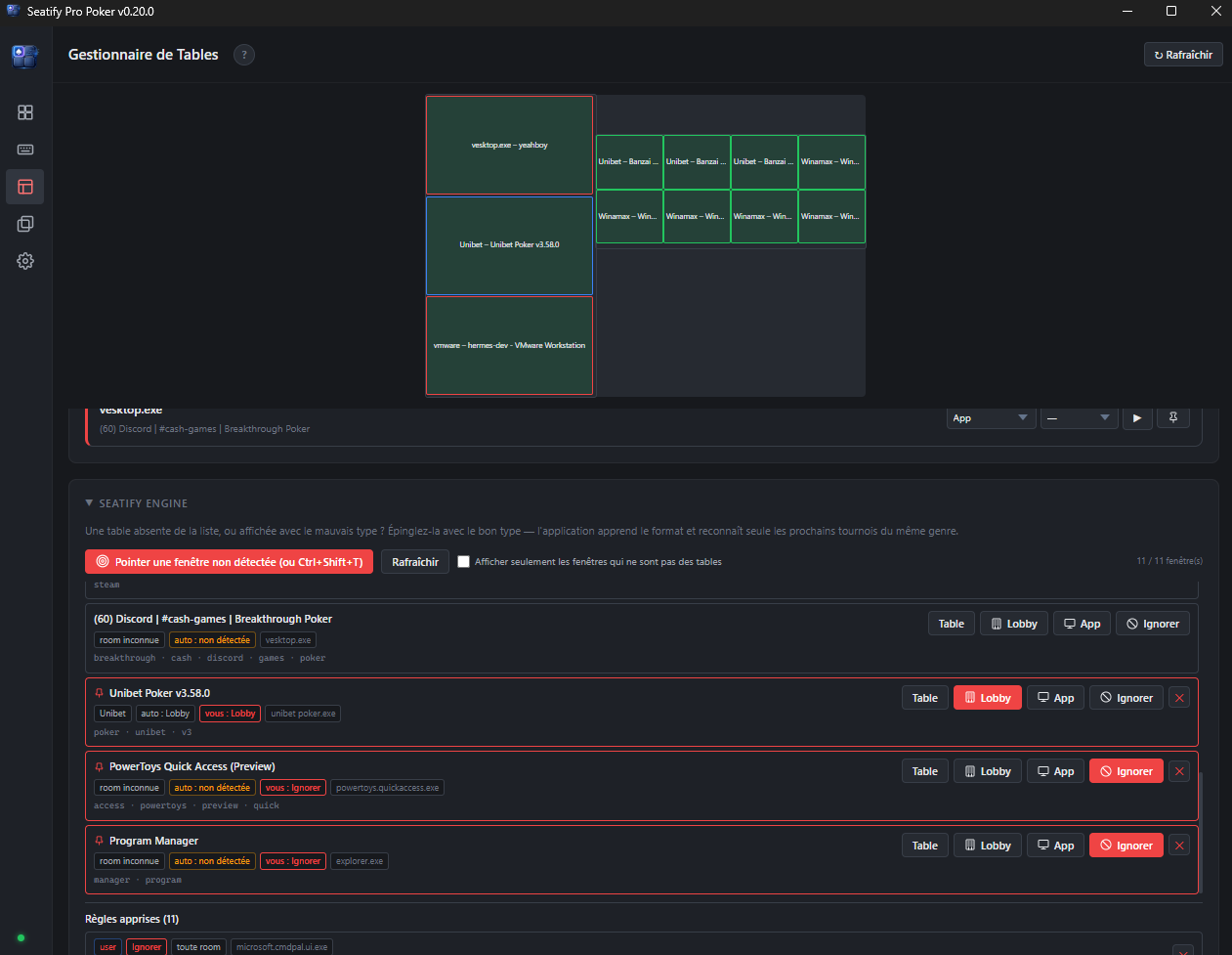
Instantly point to any custom window to register it into Seatify.
Assigns windows into Table, Lobby, Utility App, or Ignored categories.
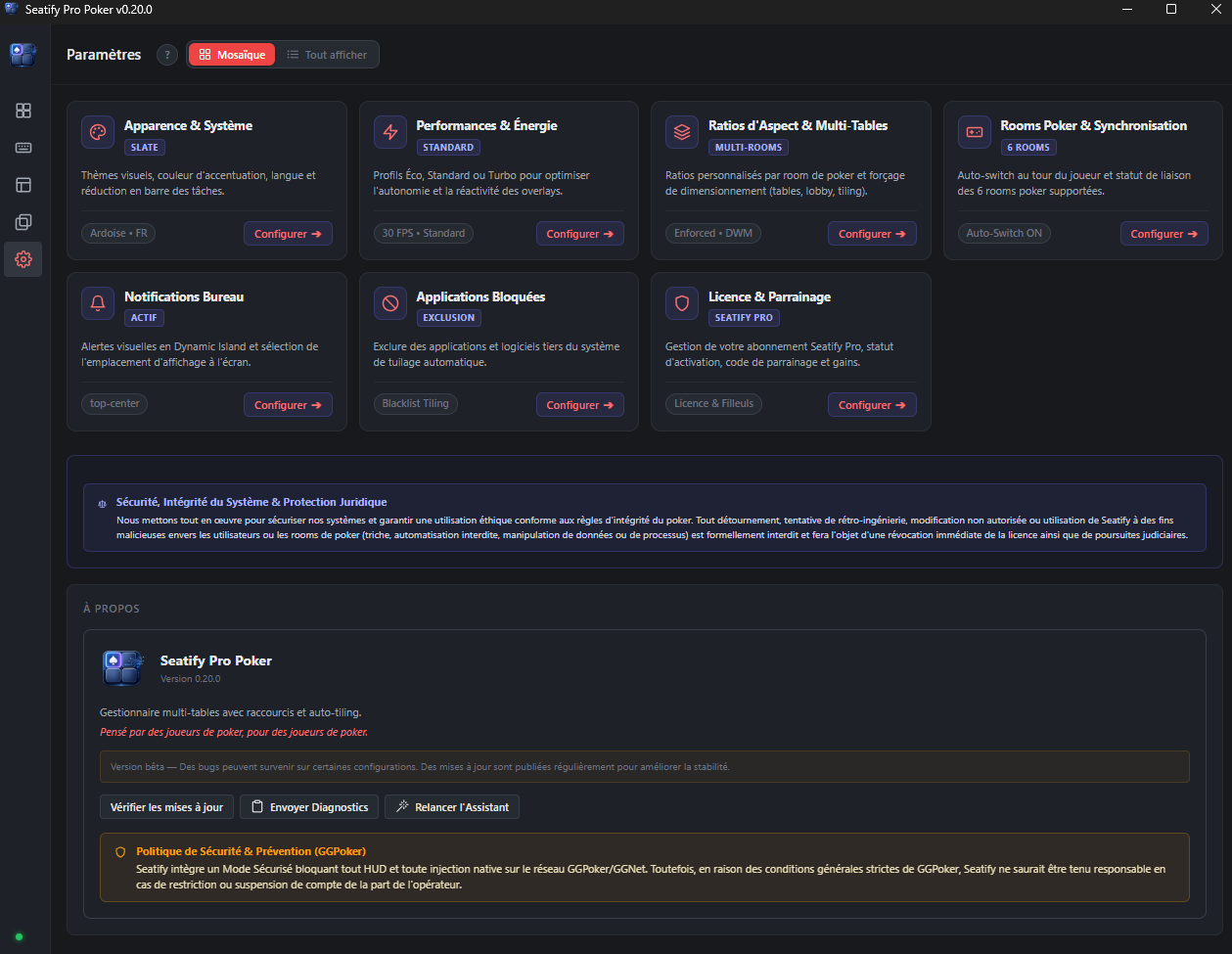
Eco (30 FPS battery saver), Standard, or Turbo for instantaneous HUD updates.
Clear non-injection architecture ensuring transparent, room-safe utility operation.
See how Seatify compares to other table management tools.
| Feature | Seatify Pro |
|---|---|
| Auto-tiling | ✓ Instant & multi-monitor |
| Multi-room & apps | ✓ 12 confirmed rooms + Windows apps |
| Bet sizing overlay | ✓ Instant Bet HUD (0ms, per-room toggles) |
| Hotkeys engine | ✓ Strict Hover-Only (zero Windows conflict) |
| Shortcut safety | ✓ Real-time collision alerts & warning banner |
| Navigation & UI | ✓ Modular Mosaic Category Hubs |
| Layout editor | ✓ Visual drag & drop |
| Focus Aura | ✓ Active table indicator (customizable) |
| Seatify Engine | ✓ Dynamic window recognition in-app |
| Fair play & integrity | ✓ Pure external OS orchestration & Safe Mode |
| Built with | Native compiled (Rust & Tauri) |
| RAM & performance | Lightweight (< 50 MB RAM, 0ms latency) |
| Pricing | Free while in Beta (Early Bird 10.99€/mo) |
Confirmed clients work out of the box. If a room changes its windows — or yours is not listed yet — Seatify Engine lets a player teach the app what changed instead of waiting for the next release.
GGPoker Notice: Seatify operates on GGPoker strictly in restricted Safe Mode (external window tiling only; HUD overlays and gameplay automation are disabled). Seatify is an independent utility and is not affiliated with, endorsed by, or certified by GGPoker / GGNetwork.
A room update no longer has to break your setup.
Point at the window Seatify got wrong, tell it what that window is, and the fix works immediately on your PC. Share it for review and other players can receive the same fix too.
Pick the window and label it table, lobby, waiting room, replayer or spectator.
The rule saves locally and applies at once. No restart or support ticket.
Share it if you choose. Approved rules join the signed community set.
Seatify is a native desktop workspace, not a poker bot and not another heavy runtime. It organizes windows, then gets out of the way.
The event-driven Rust core reacts when a table changes instead of polling the desktop constantly. Window moves are applied atomically, so a layout settles without watching each table jump into place.
Seatify operates as an external overlay and desktop window manager. It does not inject into poker processes, modify client memory, intercept network traffic, recommend an action or play for you.
Room policies differ. You remain responsible for checking and following the rules of each poker platform you use.
Early access pricing — lock in these rates now.
Free trial
Early access price · Save 27%
Early access price · Save 33%
30-day free trial included. Early access pricing locked in for the duration of your subscription.
Seatify is designed as a desktop workflow and workspace tool. Some overlay features may use locally available information such as hand history files, user-configured inputs, or room-permitted desktop data sources depending on platform compatibility. Feature availability may vary depending on the poker room and its policies.
Seatify never injects into poker clients, modifies memory, manipulates network traffic, or provides strategic recommendations. Most rooms allow table management tools — check your room's specific ToS for confirmation.
Twelve rooms and networks are confirmed and tested — Winamax, PokerStars, PMU Poker, Unibet, 888poker, CoinPoker, iPoker, Chico, WPN, Ignition, partypoker and SWC Poker — with twelve more being added. The Rooms section has the full list.
GGPoker tables are handled under an independent, uncertified Safe Mode (external window tiling only; HUD overlays and gameplay automation are strictly disabled). Seatify does not claim certification or endorsement by GGPoker.
The list is not a hard limit. With Seatify Engine you can teach the app to recognise a window it does not know, including from a room that is not listed at all, and the fix applies immediately. Available features may still vary by room.
You fix it yourself, in seconds. Rooms change their window titles and classes without notice, and that used to mean waiting for our next release. With Seatify Engine you open the Table Manager, point at the window Seatify got wrong, and tell it what it actually is — a table, a lobby, a waiting room, a replayer or a railed table. The rule is saved locally and takes effect at once.
You can then share that rule with one click. Once reviewed, it joins the shared set and the next player who hits the same window never sees the problem. Rules the app downloads are cryptographically signed and verified before being applied, and your own rules always take priority over downloaded ones.
Seatify is NOT a HUD. It doesn't display opponent statistics or analyze hand histories to advise on play. It's a table management and workflow tool — auto-tiling, ergonomic action presets, layout management. Think of it as a professional workspace organizer for poker.
Seatify runs on your machine. No hand histories, no session data and no personal information are sent to our servers.
There are three kinds of network call, and that is the complete list: licence verification, software updates, and Seatify Engine. The Engine only talks to our servers when you ask it to — when you share a detection rule, or fetch the shared set. A shared rule carries the shape of a window title, never its contents: no tournament numbers, no stakes, no player names. Rules you keep to yourself never leave your PC.
Currently Windows only (Windows 10/11). macOS and Linux support are on the roadmap but not yet available.
Your license is tied to one machine at a time. You can deactivate and reactivate on a different machine (with a 7-day cooldown between switches).
If you subscribe during early access, your rate is locked in for the duration of your subscription. You'll keep paying 10.99€/month or 99.99€/year even if prices increase for new subscribers later.
Yes. Cancel from the Stripe customer portal (accessible from the app settings). Your access continues until the end of your current billing period. No questions asked.
Download Seatify Pro and start optimizing your sessions today.
Download Seatify ProDual-core 2 GHz · 4 Go RAM · No Java, no .NET required